Features designed for you
Supports MLA and other styles
While this tool is built for MLA citations, it also supports other major styles like APA and Chicago. You can switch formatting styles when needed, making it easy to adjust your references based on assignment requirements.
Follows current guidelines
Citation rules are updated over time. This generator strives to follow the latest version of the MLA handbook, ensuring that your citations meet current formatting standards. Manual review is still recommended for final accuracy.
Simple to use
The interface is clear and intuitive. Just input your source details, like author, title, and publication info, and the citation is generated automatically. No templates or extra formatting steps are required.
Quick source lookup
You can find your source by entering a title, URL, ISBN, or keywords. The tool pulls relevant information and fills in citation fields for you, speeding up the process and reducing errors.
Auto-save for 7 days
Anything you enter into the generator is saved automatically for seven days. You can leave and return without losing your work, which helps when gathering multiple sources over time.
Formatting options
After generating a citation, you can change the font size and style to match your paper. This removes the need for editing after copying and helps maintain consistency in your final document.
Free and open access
The citation tool is completely free to use. There’s no registration, no trial period, and no limited features. You can generate citations anytime without creating an account or paying a fee.

Who might benefit from an MLA Citation Generator?
MLA isn’t the most popular citation style — the American Psychological Association (APA) is. Still, many students need to be able to use MLA correctly for assignments.
- High school students. The MLA style is generally considered more beginner-friendly than APA, so it’s often used as students’ first introduction to proper academic citation in middle and high school.
- College students in humanities classes. Literature, languages, and cultural studies are some of the subjects that often require the MLA style.
MLA citation generator you can trust
Generate accurate MLA citations in seconds — no sign-up needed.
What are MLA in-text citations?
MLA in-text citations are short references placed directly in your text to point readers to the full source in your Works Cited list. You’ll need to include one whenever you quote, paraphrase, summarize, or refer to someone else’s work.
Each in-text citation typically includes the author’s last name and the page number — both of which should correspond to the first part of the matching Works Cited entry. This helps readers easily find the original source and the exact part you’re referencing.
Author type | How to cite | Example |
Single author | Use only the author’s last name. | (Rivera 34–35) |
Two authors | Include both last names, joined by “and.” | (Nguyen and Patel 78) |
Three or more authors | Use the first author’s last name followed by “et al.” | (Chen et al. 142) |
Corporate author | If an institution or group is listed as the author, cite its full name. | (World Health Organization 12) |
No listed author | Use the title of the source. Shorten it if it's long, and format it the same way as in your Works Cited. | ("Climate Response") |
Multiple works by the same author | Add the title (or a shortened version) after the author's name to tell the sources apart. | (Jackson, The Road, 101) |
In MLA style, if you already mention the author’s name in your sentence, you only need to include the page number in parentheses.
How does this MLA citation generator work?
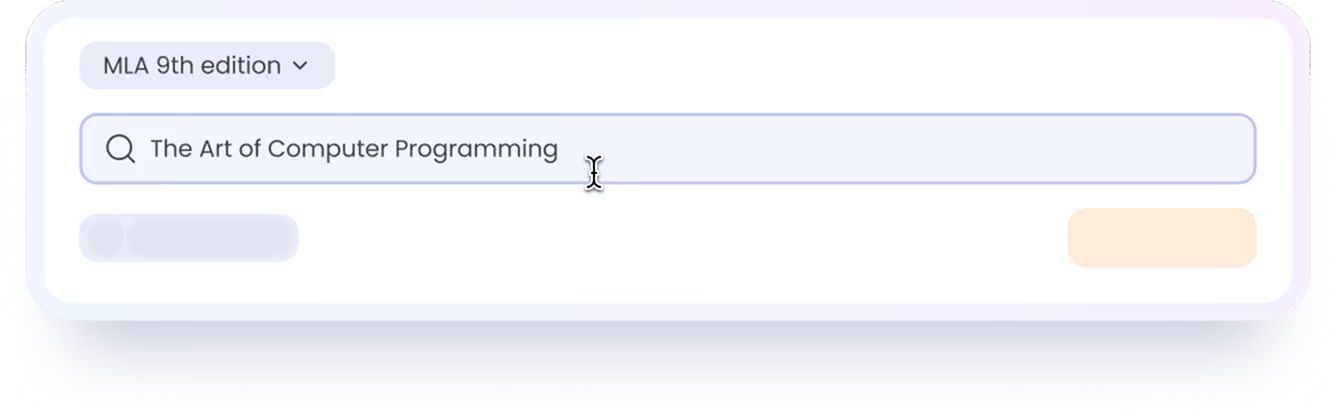
Select the correct MLA style
In our MLA citation generator, you can choose between MLA 8 and MLA 9. You can also click Preferences to adjust the font and size for your MLA style citations.

Find the source you need to cite
Search by title, URL, DOI, ISBN, or even keywords. For the most accurate results, we recommend using URL, DOI, or ISBN.

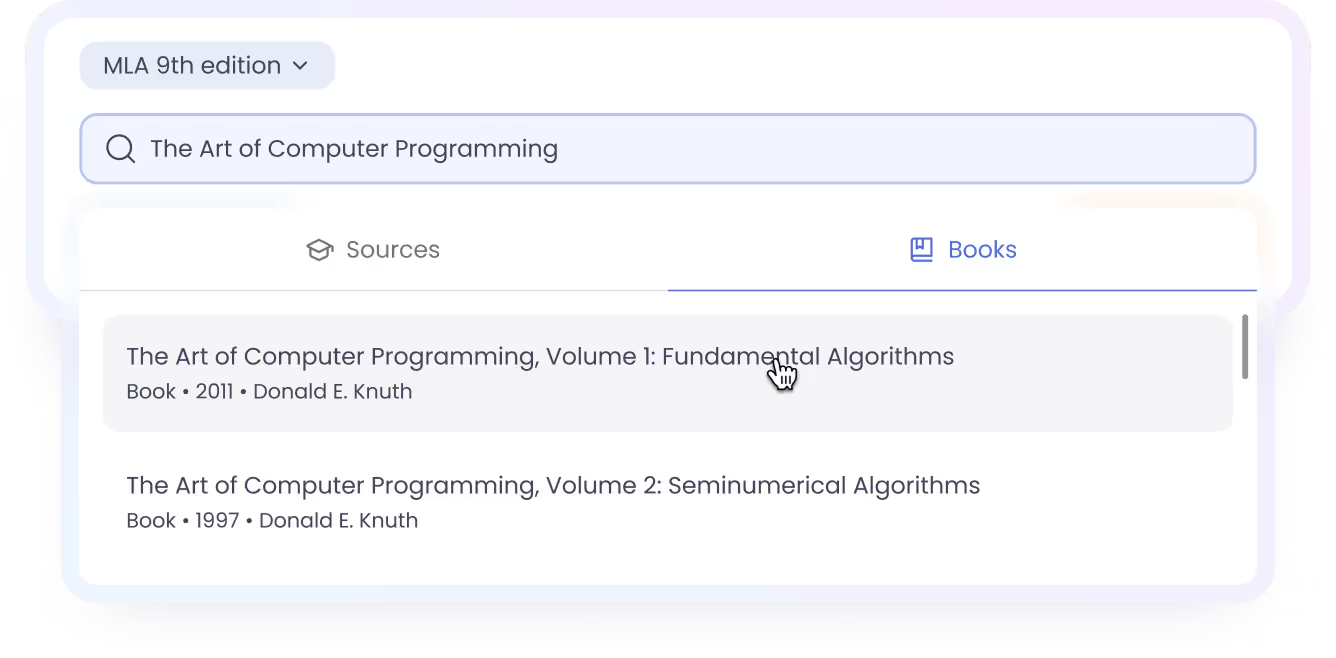
Click Cite
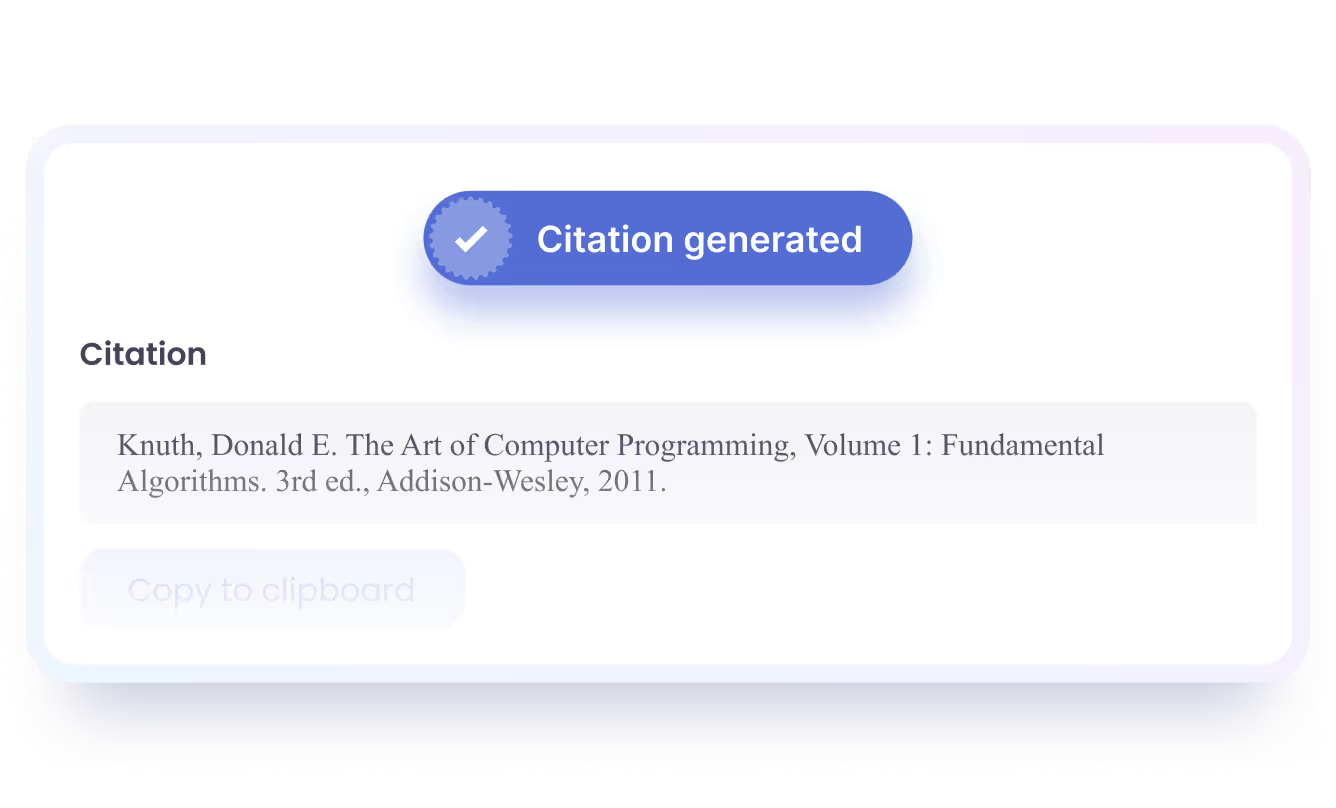
Once you click Cite, you’ll see a list of sources that match your search. Just choose the right one, and you’ll instantly get a properly formatted MLA citation.