Evaluate your writing with AI grader
AI grader for essays helps you see why your assignment feels strong in some parts and weak in others. It scores content, flow, clarity, structure, grammar, and spelling in one simple breakdown. You understand what to adjust first and improve with less stress. The AI grader makes the whole review easier.
How to use an AI grader
Add your essay
Paste your draft or upload a DOC, DOCX, PDF, or TXT file. The AI grader accepts up to 3000 words and prepares your text for a clear review.

Set your level
Choose the academic level that matches your task. This helps the system score your work correctly and give feedback that fits the expectations of your essay.

Get your report
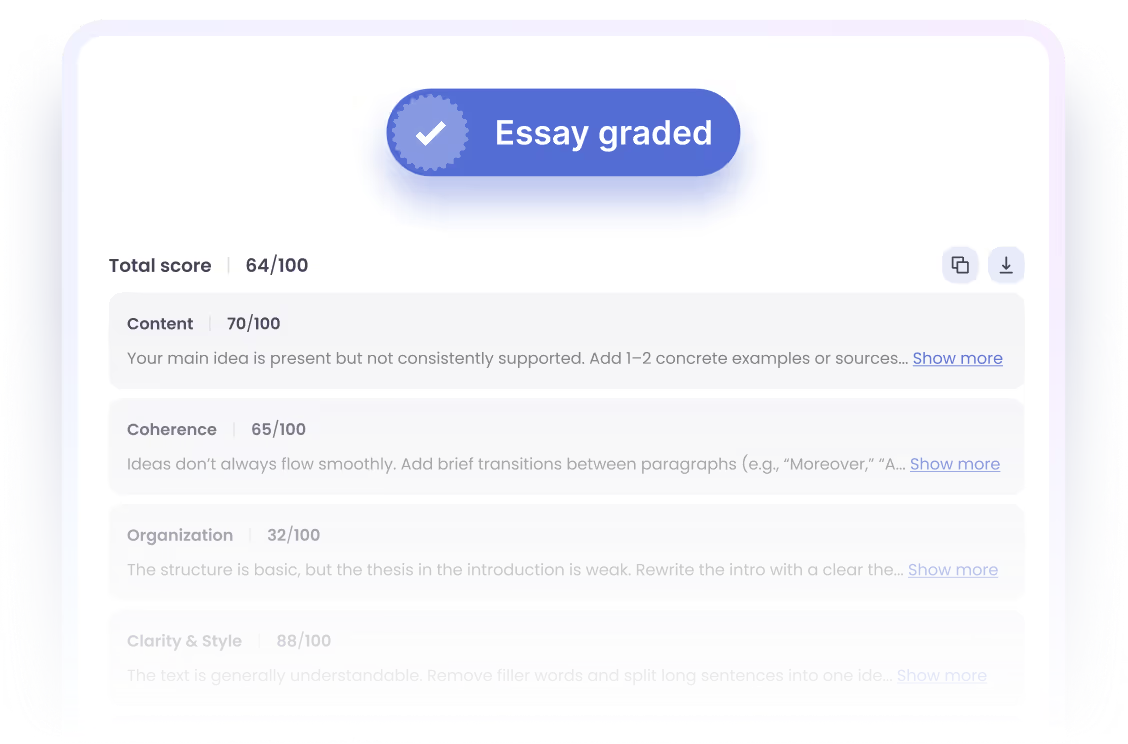
Run AI grader to see scores for content, coherence, structure, clarity, grammar, and spelling. You receive simple suggestions that guide you toward a stronger and more focused draft.
Why an AI grader helps you write better
Sometimes you finish an assignment and still have no sense of how it will perform. AI grader highlights how your ideas connect, where structure slips, and where clarity drops. Using an AI grader for essays gives you a straightforward view of your work before you submit it.
Grade nowCore features of the AI grader
Flexible text input
You add your essay by pasting the text or uploading a DOC, DOCX, PDF, or TXT file. An AI grader works with drafts from 50 to 3000 words, so any type of task fits.
Academic level selection
You pick the level your assignment belongs to, from High school to Doctorate. The scoring adjusts to your choice, giving you feedback that matches your real requirements.
Full AI based grading
An AI grader reviews your text and gives one total score from 0 to 100. This helps you understand how your draft performs before you make changes.
Five category breakdown
Your report shows separate scores for content, coherence, organization, clarity and style, and grammar and spelling. Each score points to a different part of your writing.
Focused improvement suggestions
Each category comes with short suggestions that show what needs attention. You open more details only if you want deeper feedback.
Easy next steps
An AI grader allows you to copy or download the report and move on with your edits. You also run another check anytime without repeating the setup.